The Ultimate USB Adapter for the Atari 5200
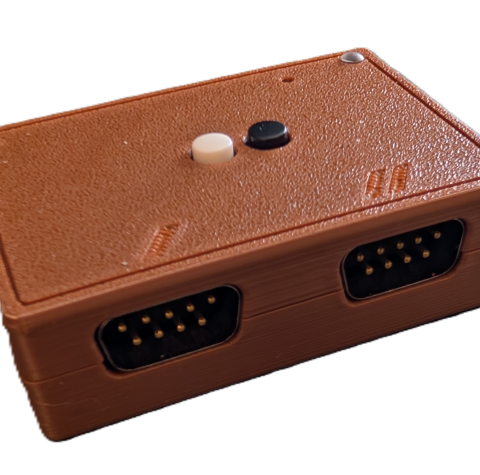
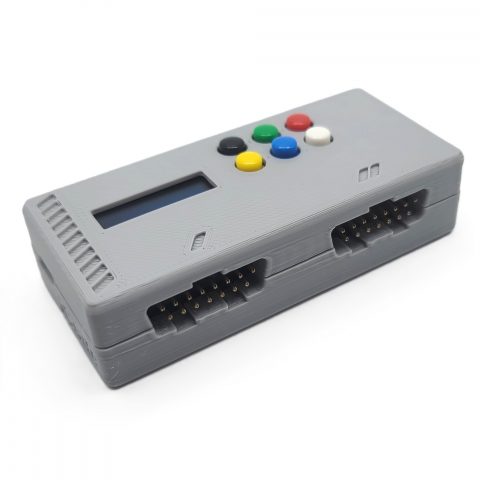
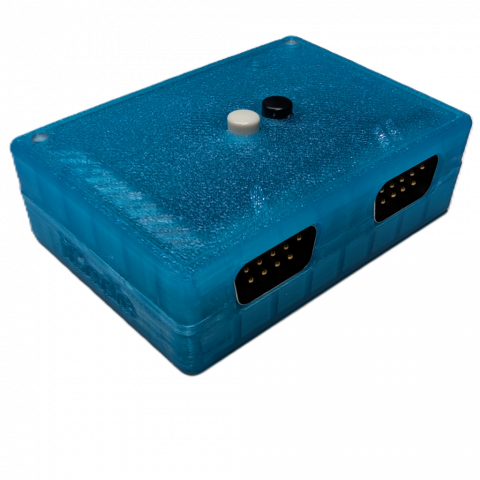
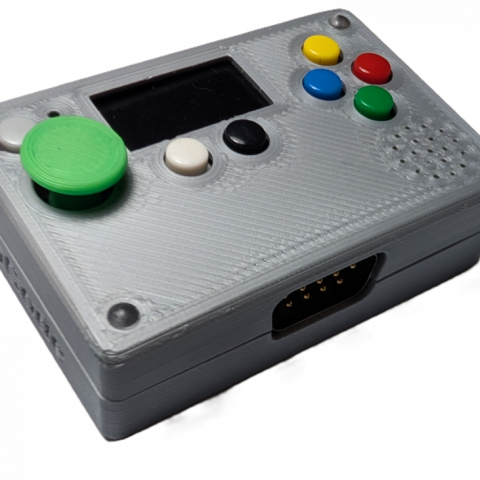
The iCode Duo 5200 Ultimate is a premium USB game controller adapter built specifically for the Atari 5200 and its controllers. Powered by the dual-core RP2350 microcontroller, it delivers precise, low-latency translation of your original 5200 controllers into standard USB HID input — compatible with Windows and Linux PCs, Macs, iOS devices, Android, MiSTer FPGA, Nintendo Switch, Steam Deck, single-board computers running emulation systems like RetroPie, Batocera, EmuELEC, or any Linux-based frontend with RetroArch backends, and virtually any platform. No drivers or software required. Just plug in your 5200 controller and play. Where basic adapters give you a single port and a stripped-down feature set for one player, the Duo 5200 puts a full Atari 5200 interface on two dedicated controller ports. That means both ports can run a complete 5200 controller at once, each with its own analog stick, independent Fire A and Fire B, Start/Pause/Reset, and the full 12-key keypad — true two-player 5200 with the complete controller on both sides. At the heart of the adapter is the proprietary jitter-free pipeline that eliminates the analog noise and drift that plague other adapters. Whether you’re working the 5200 analog stick or rolling the CX-53 trackball, the adapter delivers smooth, stable analog output with zero jitter — something players immediately notice and appreciate. Adjustable sensitivity and acceleration curves let you dial in exactly the feel you want, from pixel-precise aiming to fast sweeping movements. The adapter features a large, vibrant built-in color LCD that displays real-time animated controller overlays — watch your stick movements, keypad presses, fire buttons, and analog values update live as you play. Two display modes give you the level of detail you need: animated controller view, or display off for a clean setup. A built-in speaker with volume control delivers polyphonic audio for menu feedback, status alerts, and three built-in mini-games — Iron Dome (missile defense), Brick Bash, and Jaw Cruncher (arcade dot-muncher) — playable directly on the LCD using your connected 5200 controllers or the on-device navigation stick. The device itself features six programmable buttons plus an on-device analog navigation stick for driving the menu system and playing the built-in mini-games. Every device button can be mapped to any gamepad function — start, select, triggers, shoulder buttons, or any action you need — with up to 3 simultaneous functions each, and the same multi-function capability extends to your 5200 controller’s Fire A and Fire B buttons, giving you powerful macro-like flexibility without any software. Configuration is fast and flexible with up to 10 presets stored on the device that are automatically backed up to the cloud via the iCodeHub companion app, where you can manage, name, and work with up to 100 presets — all without installing any software.
Key Features
-
Supported Controllers — Atari 5200 Handheld Controller (CX-52) and Atari 5200 Trackball (CX-53), both connected directly to the native 5200 ports — see Supported Controllers section below for full details
-
Two Native Atari 5200 Ports — the 5200 interface is built into the adapter, so your original controllers plug straight in and both ports can run a complete 5200 controller at the same time — analog stick, Fire A, Fire B, Start/Pause/Reset, and the full 12-key keypad on both ports simultaneously. Configure each port independently, or dedicate the adapter to a single player. Basic single-port adapters give you just one player with a limited feature set.
-
Jitter-Free Pipeline — proprietary signal processing eliminates noise and drift from the 5200 analog stick and CX-53 trackball for rock-solid analog output that other adapters can’t match
-
Dual-Core RP2350 Processor — powerful microcontroller delivers fast polling, precise timing, and smooth multitasking across input scanning, USB output, display rendering, and audio
-
USB Mouse Emulation — the CX-53 trackball and the 5200 analog stick can operate as a USB mouse with adjustable sensitivity and acceleration for desktop use or mouse-driven games
-
Dual Mode Output — the trackball can be configured as gamepad, mouse, or both simultaneously — no preset switching needed
-
Adjustable Sensitivity & Acceleration — sensitivity controls how much physical movement is needed to travel from one position to another, while advanced acceleration dynamically responds to speed — slow movements stay precise and controlled, fast movements ramp up for quick response, giving you the best of both worlds without sacrificing accuracy
-
Auto Center for Trackball — turn your CX-53 trackball into a stick-style controller and unlock games it was never originally meant to play, like Asteroids, Space Invaders, Galaga, and Defender. The cursor automatically returns to neutral when the ball stops moving, exactly like an analog stick. Six speed levels (Off, Very Slow, Slow, Medium, Fast, Very Fast) let you dial in the perfect feel per game, configurable independently per port. Smart DPad Override engages automatically when your controller is configured as a DPad. Mouse mode is unaffected, so cursor output keeps behaving like a true trackball.
-
Dynamic Axis Control — choose horizontal or vertical axis orientation for the trackball, with the ability to switch dynamically during gameplay
-
Programmable Device Buttons — six buttons on the adapter itself plus an on-device analog navigation stick, each button mappable to any gamepad function (start, select, triggers, shoulders, or any action) with up to 3 simultaneous functions per button
-
Multi-Function Fire Buttons — the 5200 controller’s Fire A and Fire B buttons each support up to 3 mapped functions for powerful macro-like control without software
-
Independent Fire A / Fire B — both 5200 fire buttons are read as separate, independently mappable inputs on every port
-
Full 12-Key Keypad Mapping — every 5200 keypad key, plus Start, Pause, and Reset, can be individually mapped to any gamepad button, directional action, or keyboard key — essential for games that rely on keypad input for weapon selection, game options, and number entry
-
Five USB Emulation Modes — Standard, Classic, Nintendo, Legacy, and iOS presets for broad compatibility across platforms and emulators
-
Large Built-In Color LCD — real-time animated controller visualization with two display modes: animated overlay and display off
-
Polyphonic Audio — built-in speaker with adjustable volume delivers sound for menu navigation, status feedback, and built-in games
-
Built-In Mini-Games — Iron Dome (Missile Command like), Brick Bash (Arkanoid like), and Jaw Cruncher (Pac-Man like), playable on the LCD with the on-device navigation stick or your connected 5200 controllers — including the CX-53 trackball for smooth analog control
-
10 On-Device Presets with Cloud Backup — save and switch between complete controller configurations on the device, automatically backed up via iCodeHub where you can manage, name, and expand to up to 100 cloud presets
-
Smart Conflict Detection — when on-device and cloud presets differ, choose which version to keep with a clear side-by-side comparison
-
Over-the-Air Firmware Updates — update firmware directly through iCodeHub with full version history, release notes, and built-in recovery mode
-
Community Leaderboards — built-in game high scores are automatically submitted and ranked against other iCode owners
-
Device Registration & Transfer — your adapter is linked to your account with seamless ownership transfer when gifted or sold
-
Configurable Rapid Fire — per-button auto-fire with adjustable speed
-
Combo Key Shortcuts — quick access to preset switching, mini-games, and firmware update via button combinations
-
SBC & Emulation Compatible — works seamlessly with RetroPie, Batocera, EmuELEC, and any Linux-based emulation frontend with RetroArch or standalone emulator backends
-
iCodeHub Companion App — free web-based configuration, cloud vault, firmware updates, and leaderboards via WebHID in Chrome or Edge — no software installation required
-
Passwordless Sign-In — Google OAuth or one-time email/phone code, no password to manage
-
USB Firmware Updates — simple firmware flashing via iCodeHub or BOOTSEL mode for future feature updates
-
True Plug and Play — standard USB HID device, no drivers required on any platform
Supported Controllers
Atari 5200 Handheld Controller (CX-52)
Full, native support for the iconic Atari 5200 handheld controller (CX-52) — plugged directly into the adapter’s 5200 port. Get the complete 5200 stick experience: analog stick, dual fire buttons (Fire A and Fire B), Start, Pause, and Reset, and the full 12-key keypad — all fully configurable through the on-device menu and iCodeHub. The 5200’s analog stick runs through the same jitter-free pipeline as Atari paddles for smooth, drift-free movement, with adjustable sensitivity and acceleration. Because the 5200 interface is built into each port, both ports can run a full CX-52 controller at once — keypad included — for true two-player 5200 where basic single-port adapters give you just one player with a limited feature set. Fire A and Fire B are read independently and can each be mapped to up to three actions, and every keypad key plus Start/Pause/Reset can be remapped to any gamepad button, direction, or keyboard key.
Atari 5200 Trackball (CX-53)
Native support for the Atari 5200 CX-53 trackball, plugged directly into the adapter. The adapter reads the trackball’s analog signal directly for smooth, precise X/Y tracking. Independent X/Y axis control, adjustable sensitivity and acceleration, and full Auto Center support let the CX-53 behave exactly like a stick when you want it to, opening up games it was never originally compatible with. The CX-53 can be configured as a USB gamepad, a USB mouse, or both simultaneously — use it as a mouse on the desktop and a gamepad in your emulator without switching presets. It even works with the built-in mini-games, giving you smooth analog crosshair control in Iron Dome, precise paddle movement in Brick Bash, and silky directional control in Jaw Cruncher.
Dual Native 5200 Ports
The adapter’s two Atari 5200 ports can each run a complete 5200 controller at the same time, with independent device settings and button mappings per port — true two-player 5200 with full keypad access on both controllers, something basic single-port adapters can’t offer. Prefer to focus on a single player? Set the adapter to Port 1 only or Port 2 only, or run both ports together. Each port maintains its own device type, analog settings, and button assignments within each preset.
iCodeHub — Your Cloud Companion
The iCode Duo 5200 Ultimate is backed by iCodeHub, a free web-based companion app that connects directly to your adapter through your Chrome or Edge browser using WebHID — no software to install, no drivers to configure.
Preset Management & Cloud Vault
Your 10 on-device presets are automatically backed up to a personal cloud vault every time you connect. Name and organize your presets, and expand your library to up to 100 cloud-stored presets. If a preset on your device differs from the cloud version, smart conflict detection lets you choose which to keep — device, cloud, or both. Load any vault preset onto any device slot with a single click.
Firmware Updates
Stay up to date with over-the-air firmware updates delivered directly through iCodeHub. Browse the full version history with release notes, download and flash new firmware right from the app, and recover from any state with the built-in firmware recovery mode — no technical knowledge required.
Community Leaderboards
High scores from the built-in mini-games are automatically read from your device and submitted to community leaderboards. Compete with other iCode owners and see where you rank.
Device Registration & Ownership
Your adapter is registered to your account and linked to your profile. If you sell or gift your device, ownership transfers seamlessly — the new owner simply connects and claims the device on their account.
Account & Notifications
Sign in with Google or a one-time email/phone code — no password to remember. Receive in-app and email notifications about firmware updates, new features, and community events.