
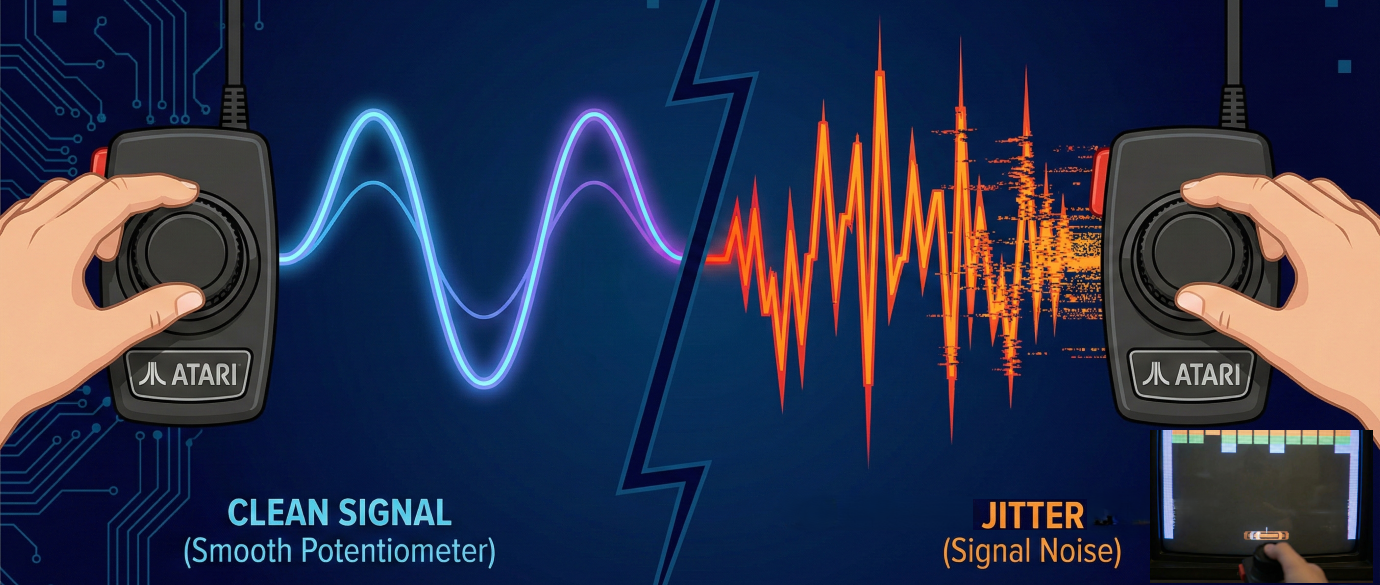
If you’ve ever plugged vintage Atari paddles into a USB adapter and watched your on-screen paddle twitch and dance while sitting perfectly still, you’ve experienced paddle jitter. It’s the number one complaint from retro gamers trying to play Breakout, Kaboom!, or Warlords on modern hardware. But what actually causes it — and can it be fixed?
We spent months studying the problem at the hardware level, and built a multi-stage signal processing pipeline into the iCode Ultimate Adapter that eliminates jitter while preserving the instant, zero-lag response that makes paddle games feel right. Here’s how it works.
The Root Cause: RC Timing and Analog Noise
Atari paddles aren’t digital devices. Each paddle contains a 1-megaohm potentiometer — a variable resistor that changes based on the knob’s position. The original Atari 2600 read this resistance using an RC (resistor-capacitor) timing circuit: charge a capacitor through the paddle’s resistance, and measure how long it takes. High resistance (knob turned one way) means a long charge time; low resistance (the other way) means a short one.
Modern adapters replicate this same RC timing approach. The microcontroller discharges a capacitor, then counts how many microseconds it takes to charge back up through the paddle. That count — the RC time — becomes the paddle’s position value.
The problem? Analog circuits are inherently noisy. The capacitor’s charge time fluctuates by a few counts every single read. Temperature, component tolerances, electrical interference from the USB bus, and even the age of the potentiometer all contribute. On a 40-year-old paddle with worn carbon traces, the noise can be significant. And unlike a digital joystick where you’re either on or off, even a 1–2 count fluctuation in RC time translates to visible on-screen jitter.
Dirty or worn paddles make it worse. A momentary loss of contact — common with oxidized wiper contacts — causes the RC time to spike wildly before snapping back. Traditional adapters faithfully pass these glitches straight through to the game, resulting in the paddle teleporting across the screen and back in a single frame.
Our Approach: A Four-Stage Signal Pipeline
Rather than applying a single heavy-handed filter that kills responsiveness, we built a pipeline of four lightweight stages. Each one targets a specific type of noise, and together they produce a clean, stable signal with effectively zero added latency for real paddle movement.
Stage 1: Spike Rejection
This is our defense against dirty contacts. If a reading jumps more than 50% from the previous value in a single frame, we throw it away entirely. Real paddle movement is smooth and continuous — even the fastest flick of the wrist produces a gradual ramp across multiple readings. A spike from a dirty wiper contact, on the other hand, appears as an instantaneous jump with no ramp.
By rejecting these outliers at the source, we prevent them from corrupting everything downstream. The paddle simply holds its last known good position for that frame, and resumes tracking normally on the very next read. In practice, this is completely invisible — you can’t perceive a single skipped frame at 1000+ reads per second.
Stage 2: Moving Average
To understand why this works so well, we need to talk about capacitors.
The original Atari 2600 used a 68nF capacitor in its RC timing circuit. Combined with the paddle’s 1-megaohm potentiometer, this meant each read cycle took long enough that the console could only squeeze in a single scan per frame — and at 60 frames per second, that was it. One reading, one chance, take it or leave it. Atari’s engineers knew this was noisy, which is partly why they clipped the paddle range so aggressively. Less range meant less time per scan, which helped keep things within the tight timing budget of the TIA chip.
When Atari moved to their 8-bit computer line (the 400/800 series), they switched to a 47nF capacitor — smaller, faster charge times, slightly better performance. But the fundamental constraint remained: one scan per frame, no room for averaging.
| Platform | Capacitor | CPU Speed | Scans/Frame |
|---|---|---|---|
| Atari 2600 | 68nF | 1.19 MHz | 1 |
| Atari 400/800 | 47nF | 1.79 MHz | 1 |
| iCode Ultimate | 22nF | 150 MHz | 4+ |
The iCode Ultimate Adapter breaks this limitation entirely. We use a 22nF capacitor — roughly a third the size of the original 2600’s. Combined with the RP2350 microcontroller running at 150MHz (compared to the 2600’s 1.19MHz), each RC scan completes in a fraction of the time. Where the Atari could barely fit one scan into a frame, we can comfortably perform four complete scans in the same window — with time to spare and zero additional lag.
This is what makes our 4-sample moving average practical. Every output value is the average of four independent RC readings taken in rapid succession. Random analog noise — those 1–2 count fluctuations from electrical interference, temperature drift, and component variation — cancels itself out across the four samples. Real paddle movement, which is consistent across all four reads, passes through cleanly.
The result is a noise floor that’s effectively halved compared to a single-scan approach, with no perceptible latency added. Four samples at our scan rate span just a few milliseconds — far below the threshold of human perception, but enough to tame the analog noise that plagues every other adapter on the market.
Stage 3: Hysteresis (Jitter Control)
This is where the remaining low-frequency drift gets eliminated. Even after averaging, the signal might wobble by a few counts when the paddle is sitting still. Hysteresis solves this by requiring the value to change by more than a configurable threshold before we update the output.
Think of it like a deadband around the current position. If the paddle’s stable RC time is 1000 and the threshold is 8, readings between 992 and 1008 are ignored. The moment you actually turn the knob and the value hits 1009, the new position passes through immediately — no delay, no lag. It only suppresses the idle wobble.
None — No filtering (raw signal) · Very Low — Threshold of 4 · Low — Threshold of 8 (default) · Medium — Threshold of 12 · High — Threshold of 16 · Very High — Threshold of 20
We expose this as a user-adjustable setting with six levels. Different paddles have different noise characteristics, so what works perfectly for a pristine set of Atari CX30s might need a higher setting for a well-loved pair from 1978. Most users find the Low setting eliminates all visible jitter without affecting gameplay feel.
Stage 4: Auto-Calibration
The final stage maps the filtered RC time to the 0–254 output range that games expect. Rather than using fixed conversion values, we continuously track the actual minimum and maximum RC times seen from each paddle. This means the adapter automatically adjusts to any paddle — regardless of component tolerances, capacitor quality, or manufacturing variations.
The calibration range only grows, never shrinks, so it can’t be corrupted by a single bad reading (those were already caught by spike rejection). If a paddle’s true range is 200 to 1400, that’s the range we map — not some hardcoded guess that might clip your paddle’s travel or leave dead zones at the ends.
Resolution Control: Matching the Atari Feel
There’s one more piece of the puzzle that experienced Atari players appreciate. The original 2600 didn’t use the full range of the potentiometer — it clipped the RC timing at roughly 60–80% of the paddle’s physical travel. This meant you only needed a small wrist movement to cover the entire screen, giving paddles their characteristic snappy, responsive feel.
Our Resolution setting replicates this by controlling how much of the RC timing range maps to full output. At 50%, a small physical movement covers the whole screen — fast and twitchy, just like the original hardware. At 100%, you get the full range for fine-grained precision. The default of 80% matches the feel most players remember from their Atari 2600.
Because this clipping also determines when the RC timing loop can exit early, lower resolution settings actually improve adapter performance — the microcontroller spends less time waiting for each read cycle, leaving more headroom for everything else.
The Result
The combination of these techniques — spike rejection, moving average, hysteresis, and auto-calibration — produces a signal that’s rock-solid when idle and instantly responsive when you move. No jitter, no teleporting, no dead zones, and no perceptible lag.
Every stage is lightweight by design. There’s no heavy digital filtering that mushes your inputs, no prediction algorithms that guess where you’re going, and no frame buffering that adds delay. The pipeline processes each reading in microseconds, and the result is a paddle experience that feels exactly like the original hardware — just without the noise.
Whether you’re threading the needle in Breakout, dodging bombs in Kaboom!, or battling friends in Warlords, the iCode Ultimate Adapter lets vintage Atari paddles perform the way they were always meant to.
Leave a comment
Your email address will not be published. Required fields are marked *